Smart Office Automation Controller Systems for Enterprise: A Guide to Connected Workspaces
Enterprise offices are becoming increasingly dependent on connected systems that coordinate lighting, climate control, meeting rooms, access, and workplace technology.
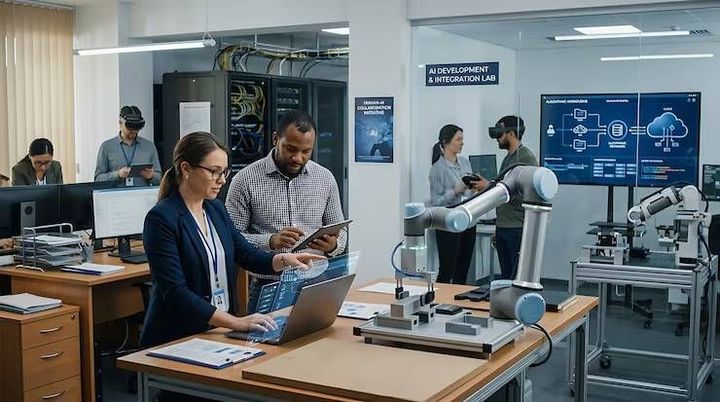
Smart office automation controller systems provide the central coordination needed to make these different building functions work together rather than operate as isolated systems.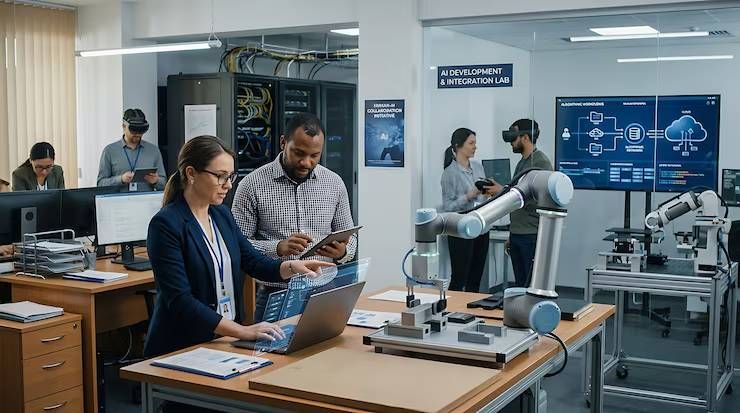
The shift toward connected workspaces is being driven by changing workplace layouts, hybrid schedules, energy-management requirements, and the growing number of digital devices inside commercial buildings. Enterprise environments need automation that can respond to changing occupancy and operational conditions without creating unnecessary complexity for employees or facility teams.
Understanding how these controller systems work helps organizations evaluate the architecture behind a smart office. The key considerations include sensors, communication protocols, centralized and distributed control, system integration, cybersecurity, data management, and the practical needs of facility operations.
What an Enterprise Office Automation Controller Actually Does
An automation controller acts as a decision-making layer between workplace devices, sensors, software platforms, and building systems. It receives information from connected equipment, applies programmed rules or control logic, and sends instructions to relevant devices.
For example, an occupancy sensor can detect that a conference room is empty. The controller may then adjust lighting, reduce HVAC activity, and update the room's availability status.
The controller does not necessarily manage every device directly. In larger buildings, several controllers may operate different zones or systems while communicating with a higher-level building management platform.
This architecture allows enterprise workplaces to scale automation without forcing every function into a single control point.
The Main Building Blocks of a Connected Workspace
A smart office automation environment normally combines several layers of technology. Each layer has a different responsibility, but the value comes from how they work together.
Sensors provide information about occupancy, temperature, humidity, light levels, air quality, equipment status, and other conditions. Their data gives controllers the information needed to make automated decisions.
Controllers process sensor inputs and execute predefined rules. Depending on the architecture, controllers may be installed locally within rooms, floors, zones, or building systems.
Actuators carry out commands. These can include lighting controls, motorized shades, HVAC equipment, access mechanisms, and other physical systems.
Communication networks allow devices and controllers to exchange information. Depending on the application, systems may use wired or wireless networking and protocols such as BACnet, Modbus, KNX, MQTT, or other building automation technologies.
Management software provides higher-level monitoring, configuration, analytics, alarms, scheduling, and reporting.
Together, these components create the operational foundation of a connected office.
How Automation Controllers Coordinate Workplace Systems
The main advantage of controller-based automation is coordination.
Consider a meeting room scheduled for use at 10:00 a.m. The automation platform can receive information from the room-booking system and prepare the space before employees arrive. Lighting can be activated, temperature settings can be adjusted, displays can be powered, and shades can be positioned according to configured rules.
When the meeting ends, occupancy information can provide another signal. If the room remains empty, systems can gradually return to energy-saving settings.
The same principle can operate across larger areas. A controller can combine occupancy data with environmental readings rather than relying on fixed schedules alone.
This creates a more responsive workplace because automation decisions are based on actual conditions instead of assumptions about how a space is being used.
Centralized and Distributed Control Architectures
Enterprise deployments generally use a combination of centralized and distributed control.
In a centralized architecture, major control functions are coordinated through a central platform or server. This can simplify monitoring and provide facility teams with a unified view of building operations.
A distributed architecture places more intelligence closer to individual rooms, zones, or systems. Local controllers can continue handling certain functions without requiring every decision to travel through a central system.
Many large workplaces use a hybrid approach. Local controllers handle time-sensitive or basic automation, while centralized software manages configuration, analytics, reporting, and coordination across the building.
This separation can also improve resilience. A temporary communication problem should not necessarily prevent every local lighting or HVAC function from operating.
Connecting Smart Office Systems
Interoperability is one of the most important considerations in enterprise automation.
A workplace may already contain a building management system, access-control platform, lighting network, meeting-room technology, security infrastructure, and workplace-management software. Replacing everything simply to introduce automation is often impractical.
Instead, controllers and integration platforms can connect systems through established communication protocols and application interfaces.
Standards such as BACnet are widely associated with building automation and control, while protocols such as Modbus are commonly used for industrial and equipment-level communication. Other technologies may be appropriate for lighting, room automation, IoT messaging, or enterprise software integration.
The goal is not to connect every device indiscriminately. Good system architecture establishes which data needs to move between platforms and which functions should remain independent.
Using Occupancy Data More Intelligently
Occupancy sensing is particularly valuable in modern offices because workplace utilization can change significantly throughout the day.
A controller can use occupancy information to influence lighting and HVAC operation. It can also support room availability, space utilization analysis, and facility planning.
However, occupancy data should be interpreted carefully. A room may appear empty for several minutes while someone is still working there, or a large office may have only a small number of occupants.
For this reason, automation systems often combine multiple signals rather than relying on a single sensor. Motion detection, scheduling information, access events, environmental readings, and room-booking data can provide a more complete picture.
The quality of automation depends heavily on the quality and context of the data being used.
Cybersecurity Becomes Part of Building Control
Connecting building systems to enterprise networks introduces cybersecurity considerations that did not exist when many building functions operated independently.
Smart office controllers may interact with critical building equipment, management software, wireless networks, and corporate infrastructure. Poorly protected devices can therefore create unnecessary security exposure.
Enterprise deployments should consider network segmentation, authentication, access permissions, secure configuration, software updates, logging, and device inventory.
Administrative access should also follow the principle of least privilege. Facility personnel may need operational control without requiring unrestricted access to every connected system.
Cybersecurity should be considered during architecture and commissioning rather than added after the system is already deployed.
Managing Automation Data
Smart office systems can generate substantial amounts of operational data. Temperature readings, occupancy events, equipment status, energy measurements, alarms, and system activity can all contribute to a broader picture of building performance.
Not every data point needs to be stored indefinitely. Enterprise architects should determine which information is required for real-time control, which supports analytics, and which has limited long-term value.
Useful data management can help facility teams identify abnormal equipment behavior, understand space utilization, and evaluate whether automated rules are producing the intended results.
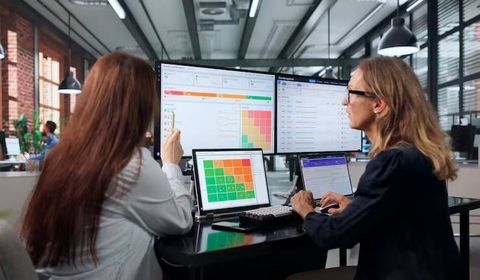
Data also becomes more useful when it is presented in a form that facility teams can act upon. A dashboard showing hundreds of raw sensor readings is less valuable than a system that highlights meaningful exceptions and operational trends.
Designing Automation Around People
Technology should support workplace operations rather than make ordinary tasks harder.
Employees generally expect lighting, room controls, meeting technology, and environmental conditions to behave predictably. If automation repeatedly overrides user preferences or produces inconsistent results, people may stop trusting the system.
Enterprise controllers should therefore account for manual overrides and appropriate user interaction. A person may need to temporarily adjust lighting or temperature for a particular activity.
Good automation distinguishes between routine conditions and exceptional circumstances. It automates repetitive tasks while leaving appropriate control available to occupants and facility personnel.
Planning a Scalable Enterprise Deployment
Large deployments require more than selecting compatible hardware. Organizations need to define the operational architecture before expanding across multiple floors or buildings.
Important planning areas include:
- Existing building systems and infrastructure
- Controller locations and network architecture
- Communication protocols
- Sensor coverage
- Integration requirements
- Cybersecurity controls
- Maintenance responsibilities
- Software management
- User permissions
- Expansion requirements
A pilot deployment can help identify practical problems before automation is introduced throughout a large portfolio. Testing should include normal operation, network interruptions, sensor failures, manual overrides, and recovery procedures.
This approach provides a clearer understanding of how the system behaves under real workplace conditions.
Frequently Asked Questions
What is a smart office automation controller?
A smart office automation controller is a device or software-based control layer that processes information from sensors and systems and sends commands to connected workplace equipment.
Which systems can office automation controllers manage?
Depending on the architecture, controllers can coordinate lighting, HVAC, occupancy sensing, motorized shades, access systems, meeting rooms, energy monitoring, and other connected workplace functions.
Can smart office automation work with existing building systems?
Yes. Integration is often possible through established communication protocols, gateways, APIs, and building management platforms. The exact approach depends on the existing equipment and its communication capabilities.
Why are occupancy sensors important?
Occupancy information allows automation systems to respond to actual workplace use. It can help adjust lighting and HVAC operation while also providing information about how spaces are being utilized.
Does office automation require centralized control?
Not necessarily. Enterprise systems often combine centralized management with distributed local controllers. This approach can provide both building-wide visibility and local operational resilience.
Conclusion
Smart office automation controller systems provide the coordination layer that turns individual workplace technologies into a connected environment. Sensors collect information, controllers interpret conditions, actuators perform actions, and management platforms provide broader visibility and control.
For enterprise environments, successful automation depends on more than adding connected devices. Interoperability, cybersecurity, reliable data, scalable architecture, and human-centered control all influence how effectively a smart workspace operates.
A well-designed system automates routine decisions while preserving appropriate control for employees and facility teams. That balance is what makes connected workplace technology practical at enterprise scale.